Google Business Profile Mistakes That Can Tank Your Google Maps Visibility: An SEO Expert’s 20-Point Audit
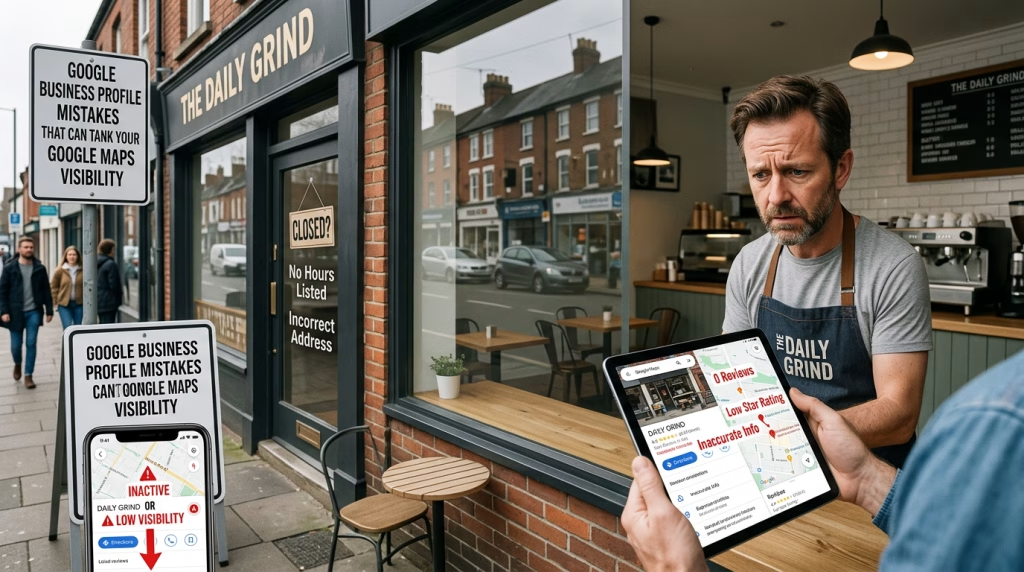
A Google Business Profile can be one of the most valuable assets a local business has.
It can put a business in front of customers searching on Google Maps, generate calls and website visits, provide directions, showcase reviews, and help Google understand what the business does and where it operates.
Yet I regularly see businesses with reasonably good websites and strong services struggling to gain visibility in Google Maps because their Google Business Profile has been poorly configured, incompletely managed, or disconnected from the rest of their local SEO strategy.
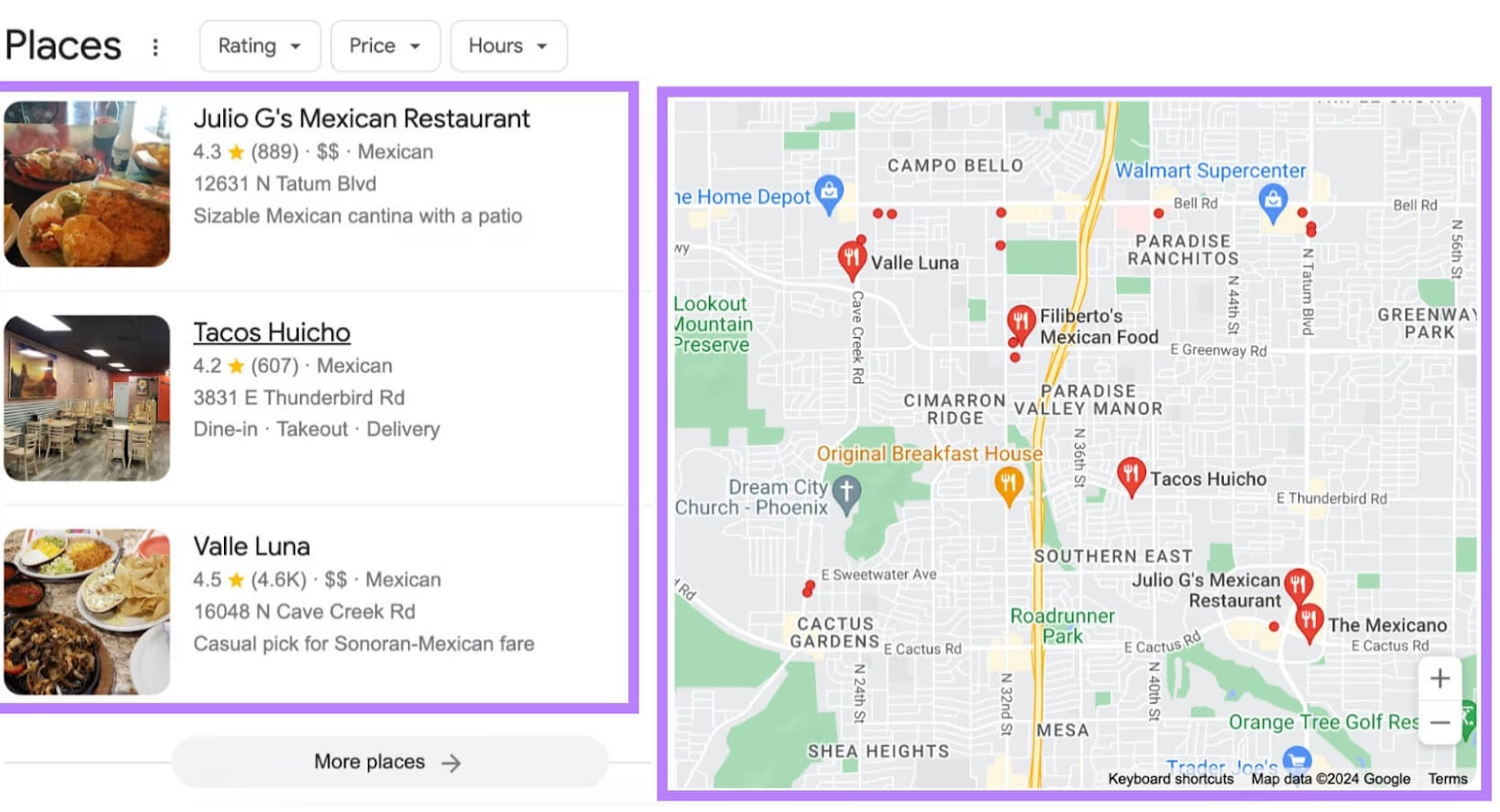
Google itself says local results are primarily influenced by relevance, distance and prominence. It also recommends that businesses keep their information complete and accurate because this helps Google match profiles with relevant searches.
But here’s where many local businesses get it wrong: GBP optimization is not about filling in a few fields and walking away.
After years of working in SEO and after making some of these mistakes myself early in my local SEO journey—I have learned that the strongest profiles are built around one principle:
Relevance matters more than volume.
That principle applies to categories, services, descriptions, locations, photos, reviews, website pages, Posts and virtually every other part of a local search strategy.
Here are 20 mistakes I believe local businesses should be looking for.
Table of Contents
1. Not Having a Google Business Profile at All
This is the biggest mistake.
If your business qualifies for a Google Business Profile and you don’t have one, you are voluntarily giving up an important opportunity to establish your business presence in Google Search and Maps.
A verified profile allows a business to manage information such as its hours, website, phone number and location, while also interacting with customers through photos, videos and reviews.
I would put this ahead of every optimization tactic.
Before worrying about posts, photos, citations or advanced local SEO, make sure the business has a legitimate, claimed and properly managed profile.
SEO expert takeaway: Don’t optimize what doesn’t exist. Establish and verify the legitimate business entity first.
2. Choosing the Wrong Primary Category
If I had to identify the most damaging optimization mistake after not having a GBP, this would be near the top.
Your primary category tells Google what your business fundamentally is.
Choosing a broad or inaccurate category can send your relevance signals in the wrong direction. Google recommends selecting the fewest categories necessary to describe the core business, while making them accurate.
For example, a business shouldn’t automatically select a generic category simply because it sounds related to what it does.
The question should be:
“What is this business primarily known for?”
Category research should consider the actual business model, available Google categories, search intent and the competitive landscape.
Don’t choose a category merely because it has a keyword you want to rank for.
Choose the category that accurately represents the business.
3. Treating Secondary Categories as an Afterthought
Many business owners know they can select a primary category but barely think about the secondary categories.
That’s a missed opportunity.
I view secondary categories as a way to make the profile more specific to laser-focus Google’s understanding of the business.
If the primary category describes the core business, secondary categories can help communicate legitimate additional areas of specialization.
The key word is legitimate.
Don’t add every category that sounds remotely related. Google specifically advises businesses to choose the fewest categories necessary to describe their overall core business.
The goal isn’t category stuffing.
The goal is category precision.
4. Listing Services Without Writing Useful Service Descriptions
This is one of the most overlooked mistakes I see.
Businesses will go into their GBP, add a list of services and consider the job finished.
I don’t.
A service name tells Google and the customer something. A well-written description can provide substantially more context about what that service actually involves.
In my experience, businesses should take advantage of the available service-description fields and explain what they offer using natural language that reflects how their customers actually search.
This is also an opportunity to incorporate relevant local and service terminology naturally.
That does not mean keyword stuffing.
It means making the service unmistakably clear.
For example:
Weak:
“SEO”
Stronger:
“Local SEO services helping Houston-area businesses improve their visibility in Google Maps, local search and location-based searches.”
The second description provides considerably more context.
Google says relevance is based on how well a Business Profile matches what someone is searching for, and recommends complete, detailed business information.
5. Writing a Generic or Incomplete Business Description
Some businesses spend time entering services but neglect the actual business description.
That’s backwards.
The business description should clearly communicate:
- What the business does
- Who it serves
- Where it serves customers
- What makes it different
- Its major services or products
A vague description such as “We are a family-owned company providing excellent service” tells Google and potential customers very little.
A useful description establishes context.
However, don’t turn the description into a keyword dump. Rio SEO specifically identifies keyword stuffing as a problem, while Google requires profile content to accurately represent the business.
Relevance, clarity and accuracy beat keyword density.
6. Getting the Service Area Wrong
Wrong location information is a major mistake.
I’ve seen businesses list areas they don’t actually serve simply because they want visibility there.
That can create a credibility problem.
Google distinguishes between businesses that serve customers at their business address, service-area businesses that travel to customers, and hybrid businesses that do both.
A physical location and a service area are not the same thing.
If a plumber physically operates from one location but travels to surrounding communities, the profile should accurately communicate that reality.
Don’t claim an area simply because you want to rank there.
Local SEO is not about pretending to be local. It’s about proving local relevance.
7. Chasing High-Volume Keywords Instead of Realistic Local Intent
This is a conversation I have had with clients many times.
A business owner sees a keyword with thousands of monthly searches and immediately wants to rank for it.
The problem?
Search volume isn’t the whole story.
You also need to consider:
- Keyword difficulty
- Search intent
- Geographic relevance
- Competition
- Business location
- Commercial value
A local business may have a much better opportunity with a highly specific service-plus-location query than with a massive generic keyword.
For example, competing for:
“SEO”
is dramatically different from competing for:
“local SEO expert in Katy TX.”
Long-tail and locally specific searches can bring fewer searches but much stronger intent.
And this matters because Google explicitly considers distance as one of its primary local ranking factors.
8. Assuming One Location Can Rank Equally Across an Entire City
This is another misconception I have encountered with clients.
Some business owners assume that if they rank well in one part of a city, they should automatically rank equally well throughout the entire metropolitan area.
That’s not how local search works.
Google says distance is one of the core factors in local results.
Your physical location matters.
The searcher’s location matters.
The query matters.
The competitive landscape matters.
SEO can strengthen relevance and prominence, but it cannot simply erase geography.
This is why I encourage businesses to think beyond “ranking #1 in the city” and instead analyze where they rank, for which queries, and against which competitors.
9. Sending Every GBP Click to the Homepage
This is one of the tactics where my own client work has changed my approach.
Many businesses assume:
“Our homepage is our most important page, so that’s where every GBP link should go.”
Not necessarily.
If a GBP service is about a specific service, why send the customer to a generic homepage?
Send them to the relevant service page.
If a GBP Post discusses a specific topic, link to the relevant article.
If the post promotes a specific offer, take the visitor directly to the page where they can act.
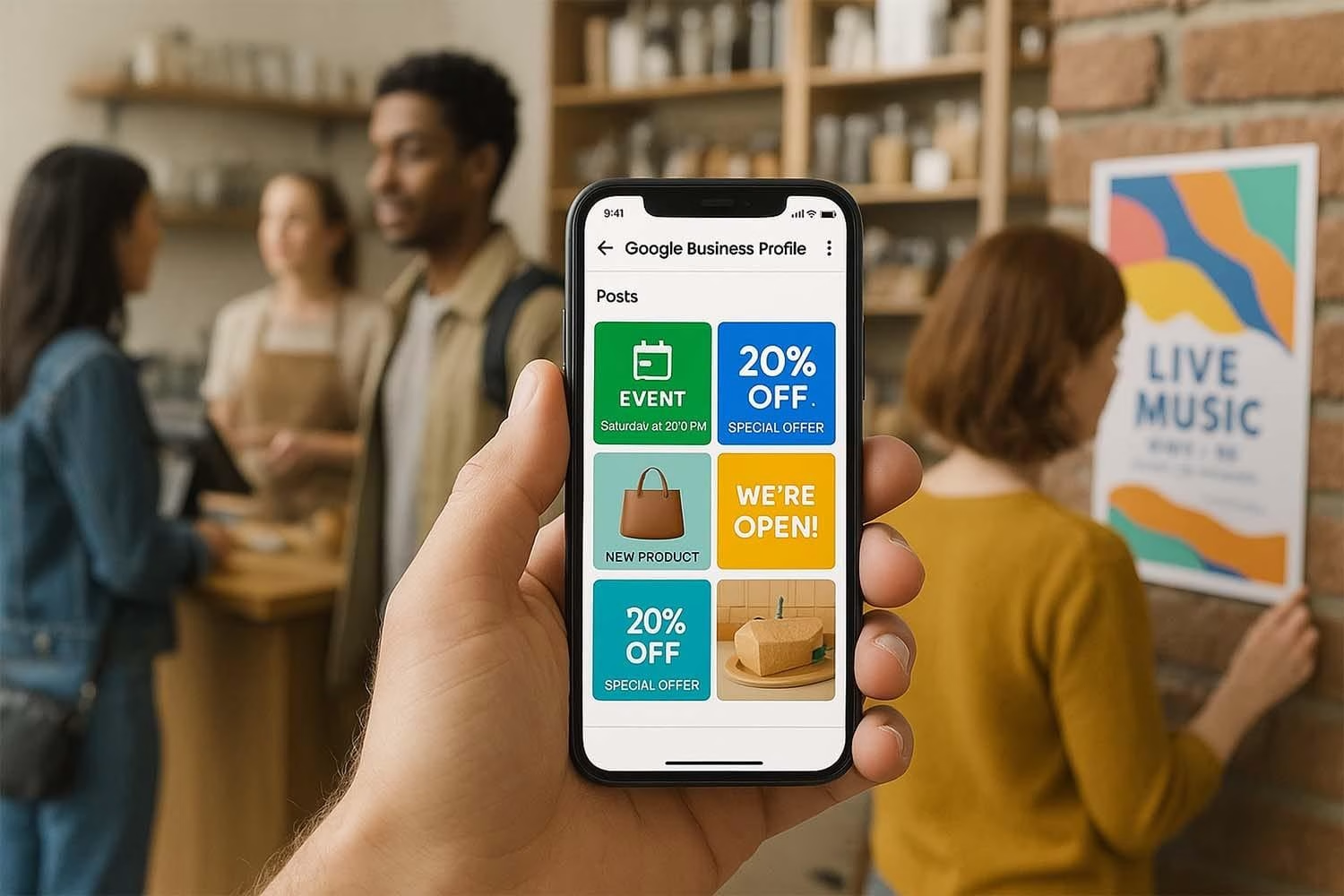
Google’s own documentation allows Business Profile Posts to include action buttons linking to websites where customers can complete an action such as booking or learning more.
This is not just an SEO tactic.
It’s good UX.
Don’t make visitors hunt for what you just told them about.
10. Creating Generic, Duplicated Location Pages
This is one of the most important lessons I have learned from my own SEO work.
For a long time, I saw businesses create location pages using essentially the same template:
Same paragraph.
Same services.
Same structure.
Change “Houston” to “Katy.”
Change “Katy” to “Sugar Land.”
I once thought this approach was acceptable.
Then I started creating genuinely unique location content.
The results were remarkable.
The location pages performed better in search, CTR improved, and conversion rates increased significantly.
A useful location page should explain the business’s relationship with that community and not simply replace one city name with another.
Include genuine local context, relevant services, customer needs, projects, neighborhoods, service limitations, testimonials and other information that makes the page genuinely useful.
This aligns with the broader principle Google emphasizes: information should be accurate, complete and relevant to the search.
11. Using Generic Stock Photos Instead of Authentic Business Images
I strongly believe local businesses should use photographs that are genuinely connected to the business.
Stock photography is easy.
It is also often meaningless.
If five competing businesses use the same stock image of a smiling employee, that photograph does nothing to distinguish them.
Show:
- Your actual staff
- Your storefront
- Your office
- Your building signage
- Your products
- Your equipment
- Your completed projects
- Your team working
- Your real environment
Google’s own guidance encourages businesses to add photos and videos of the business and its products or services.
But my emphasis is slightly different:
Don’t just add photos. Add evidence.
12. Prioritizing the Number of Photos Over Their Relevance
More isn’t automatically better.
I would rather see 20 highly relevant photographs than 100 random photographs.
A photo of the actual storefront can establish location context.
A photograph of your team can establish authenticity.
A photograph of a completed project can demonstrate capability.
A photograph showing your actual service being performed can communicate what you do.
This is why I believe relevance matters more than volume in visual content just as it does in text.
Google Maps is becoming increasingly conversational and visual. Google’s 2026 Ask Maps experience uses information about places to answer more complex questions, making accurate and useful business information increasingly important.
13. Ignoring Reviews, Especially Negative Ones
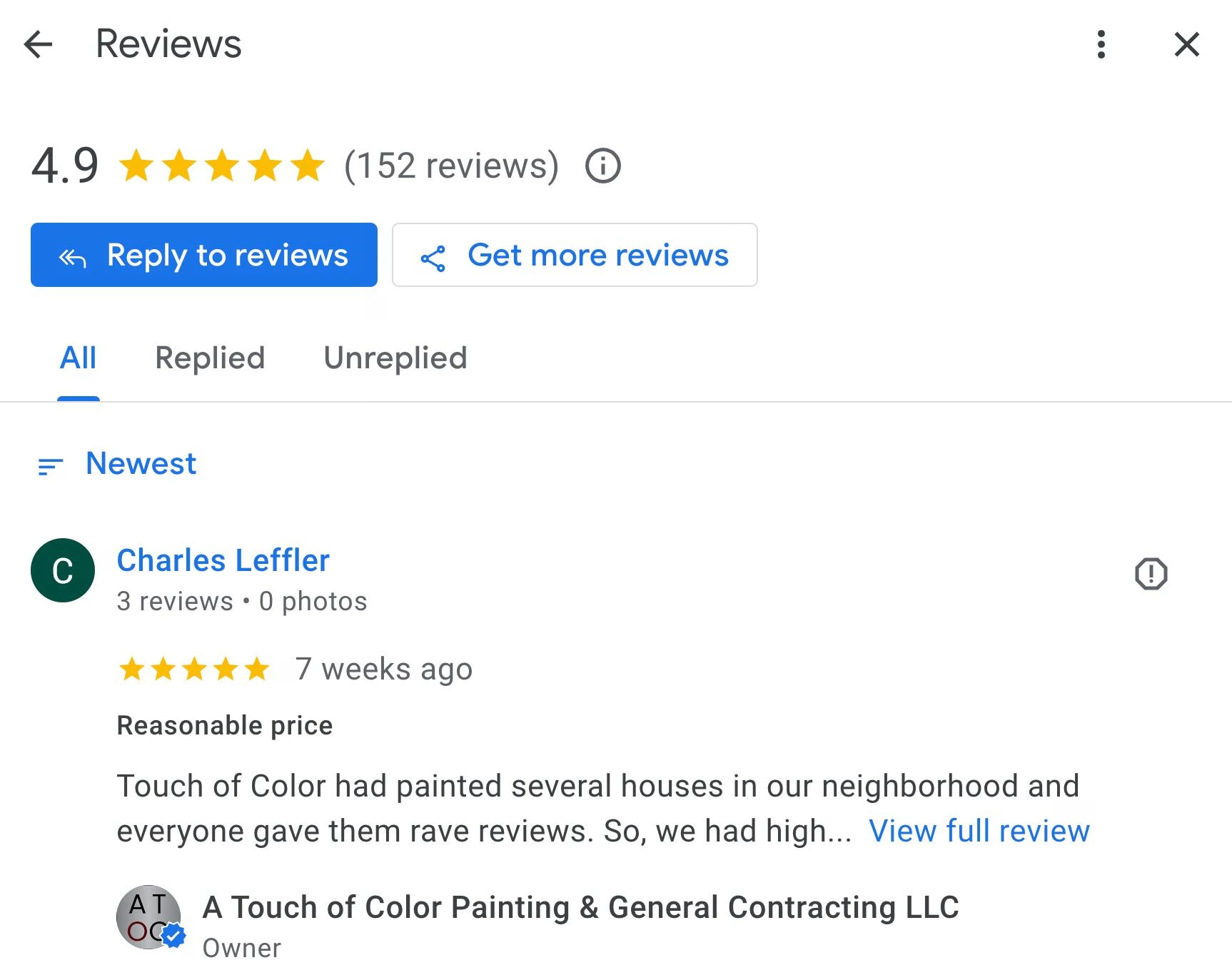
Businesses sometimes treat reviews as a scoreboard.
I see them differently.
Reviews are part of the customer experience and reputation ecosystem.
A business shouldn’t simply celebrate five-star reviews and ignore one-star reviews.
Respond to both.
Thank customers who leave positive feedback.
When someone leaves a legitimate negative review, acknowledge the concern, thank them for bringing it to your attention, and communicate that you intend to address the issue.
Don’t become defensive.
Don’t attack the customer.
Don’t reveal private information.
And don’t offer incentives for positive reviews or review changes. Google explicitly prohibits incentives for posting, changing or removing reviews.
Google also says businesses should not report a review merely because they dislike it; removal is intended for reviews that violate policy.
A professional response can turn a negative experience into evidence that the business takes customer concerns seriously.
14. Treating GBP Posts as Advertising Instead of a Navigation Tool
Businesses often make one of two mistakes:
They never publish Posts.
Or they publish promotional material without giving the customer a useful next step.
I consider the second mistake particularly frustrating.
If you’re writing about a service, link to the service.
If you’re writing about an offer, link to the offer.
If you’re discussing an educational topic, link to the relevant article.
If you’re announcing an event, give people the information they need to act.
Google allows Posts to include text, photos, videos and action buttons with links.
The goal shouldn’t be “We posted something.”
The goal should be:
“We answered an intent and made the next action obvious.”
15. Forgetting Holiday Hours and Appointment Details
Most businesses remember their normal opening hours.
Then holidays arrive.
Christmas.
Thanksgiving.
Memorial Day.
Independence Day.
Special events.
Reduced hours.
Temporary closures.
These details matter because customers use Maps to decide whether they can visit or contact a business.
Google recommends keeping business information up to date, including hours.
I also see businesses fail to make appointment options clear.
Can customers walk in?
Do they need an appointment?
Can they book online?
Are consultations required?
Providing this information reduces uncertainty and improves the customer experience.
16. Ignoring Ownership and Access Management
This is an overlooked technical problem.
I’ve encountered businesses dealing with issues involving:
- Unclaimed profiles
- Incorrect ownership
- Former employees retaining access
- Former agencies controlling profiles
- Too many users with access
- Poor account management
- Multiple profiles for the same business
Google provides separate owner and manager roles and recommends using individual Google Accounts rather than sharing passwords.
The business owner should ultimately know:
Who owns our GBP?
Who has access?
Who can change the information?
Who is responsible for monitoring it?
A local SEO campaign is much harder to manage when the business doesn’t control its own digital asset.
17. Allowing Duplicate Business Profiles to Accumulate
Duplicate profiles are not harmless.
Google states that there should generally be only one Business Profile per business, and multiple profiles can mislead customers and violate its guidelines.
Businesses should periodically audit for duplicates, especially after:
- Moving locations
- Changing ownership
- Rebranding
- Hiring or changing agencies
- Creating new profiles
- Expanding into additional locations
If duplicate profiles exist, determine the appropriate resolution rather than simply ignoring them.
A clean local presence is easier for both customers and Google to understand.
18. Failing to Monitor Google-Suggested Changes
One of the biggest misconceptions about GBP optimization is that once you’ve optimized the profile, you’re finished.
You’re not.
Business owners and SEO professionals should consistently monitor the profile.
Pay particular attention to:
- Business name
- Primary category
- Secondary categories
- Address
- Service areas
- Phone number
- Website URL
- Hours
- Services
- Other business information
Google obtains business information from multiple sources, and profile information can change.
That means GBP management is an ongoing process, not a one-time setup.
19. Ignoring GBP Performance Data
Another overlooked opportunity is failing to measure what the profile is actually doing.
Google’s Business Profile performance reporting provides information about how people discover the profile and what actions they take, including searches, views and customer interactions.
Don’t simply ask:
“Are we ranking?”
Ask:
- Which searches are finding us?
- How many people view the profile?
- Are they calling?
- Are they visiting the website?
- Are they requesting directions?
- Which services generate engagement?
- Which locations perform best?
- Which changes correlate with improvements?
Measurement turns GBP optimization from guesswork into an SEO process.
20. Treating Google Business Profile as a Standalone Asset
This may be the biggest strategic mistake after the obvious ones.
Your GBP does not exist in isolation.
It sits inside a larger local search ecosystem involving your:
- Website
- Service pages
- Location pages
- Reviews
- Citations
- Local links
- Structured data
- Business information
- Visual content
- Reputation
- Local relevance
Google’s own explanation of local ranking emphasizes relevance, distance and prominence. Prominence can be influenced by information such as links and reviews, among other signals.
That’s why I don’t approach GBP optimization as simply “filling out the profile.”
I build connections between the profile and the rest of the local SEO ecosystem.
A GBP service should support the corresponding website service page.
A location should be supported by genuinely useful location content.
The business’s name, address and phone number should be consistent.
Reviews should reinforce the company’s reputation.
Images should demonstrate the real business.
The entire ecosystem should tell Google and the customer the same story.
The Bigger Lesson: Relevance Beats Volume
After working through these problems, I keep coming back to one principle:
Relevance beats volume.
Having 100 generic photos isn’t necessarily better than having 20 authentic ones.
Having 50 weak services isn’t better than having 10 highly relevant services.
Targeting a keyword with 10,000 searches isn’t necessarily better than targeting a highly specific keyword with strong commercial intent.
Creating 50 near-identical location pages isn’t better than creating genuinely useful pages for the locations you serve.
Publishing dozens of posts isn’t necessarily better than publishing useful posts that take people directly to the information they need.
And collecting reviews isn’t the end of reputation management. Responding thoughtfully and demonstrating that you listen matters too.
What I Would Audit First
If I were auditing a struggling Google Business Profile today, I wouldn’t start by publishing another post.
I’d work through the fundamentals in this order:
1. Does the business have a legitimate, verified GBP?
2. Is the primary category correct?
3. Are the secondary categories genuinely relevant?
4. Are the services properly described?
5. Does the profile accurately describe where the business operates?
6. Are the business name, address and phone number consistent?
7. Are GBP links pointing to the most relevant website pages?
8. Are the website’s service and location pages genuinely useful and unique?
9. Are reviews being actively managed?
10. Are the photos authentic and locally relevant?
11. Are holiday hours and appointment information accurate?
12. Is the profile being monitored for unwanted changes?
13. Are duplicate profiles creating confusion?
14. Is the business owner actually in control of the profile?
15. Are GBP performance data and website analytics being used to guide decisions?
Only after these fundamentals are addressed would I start looking for more advanced opportunities.
Final Thoughts
A poorly performing Google Business Profile isn’t always the result of one catastrophic mistake.
Sometimes it’s the accumulation of small inaccuracies:
The wrong category.
A vague service description.
An incorrect service area.
A homepage link instead of a relevant service page.
A duplicate listing.
Generic photographs.
Unanswered reviews.
Outdated holiday hours.
A former agency still controlling the profile.
Or a collection of location pages that differ only by the city name.
Each problem may seem small.
Together, they can create a local search presence that lacks the clarity, relevance and trust Google needs to confidently match the business with customers.
The businesses that win in Google Maps aren’t necessarily the businesses that fill the most fields.
They are the businesses that make their information accurate, specific, relevant, authentic and useful.
And that’s the standard I use when auditing and optimizing Google Business Profiles.
Your Google Business Profile shouldn’t just tell Google that you exist. It should make it unmistakably clear what you do, who you serve, where you serve them, and why a customer should choose you.